
Savvy Insights
Discover. Learn. Reimagine What’s Possible.
Savvy Insights puts innovation into action—bringing you thought-leader conversations, hands-on strategies, and real-world applications to unlock the full potential of Microsoft 365, the Power Platform, and AI. Each session is a chance to discover, learn, and reimagine what’s possible with Microsoft 365.
As your strategic ally, we believe that knowledge and communication drive success. Our newsletters, virtual sessions, and curated resources are designed to meet you where you are—so you can move forward with clarity and momentum.
A Smarter Way to Work: Inside Microsoft 365 Agents
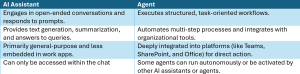
Chat-based AI assistants (like Copilot) have at this point been around for several years. While they are helpful as personal assistants, they are built for open-ended conversations that can lead in any number of directions. Users interact with these AI assistants through a series of prompts and responses. However, these assistants are often limited in the tasks they perform, other than generate text, provide summarizations and deliver query or search results. This has led to the rise of Agents – task-oriented AI assistants that can conduct more complex, multi-step workflows.
🆚 AI Assistant vs Agent
Here are some of the high-level differences between AI assistants and agents.
🏠 Agents Live Where You Live
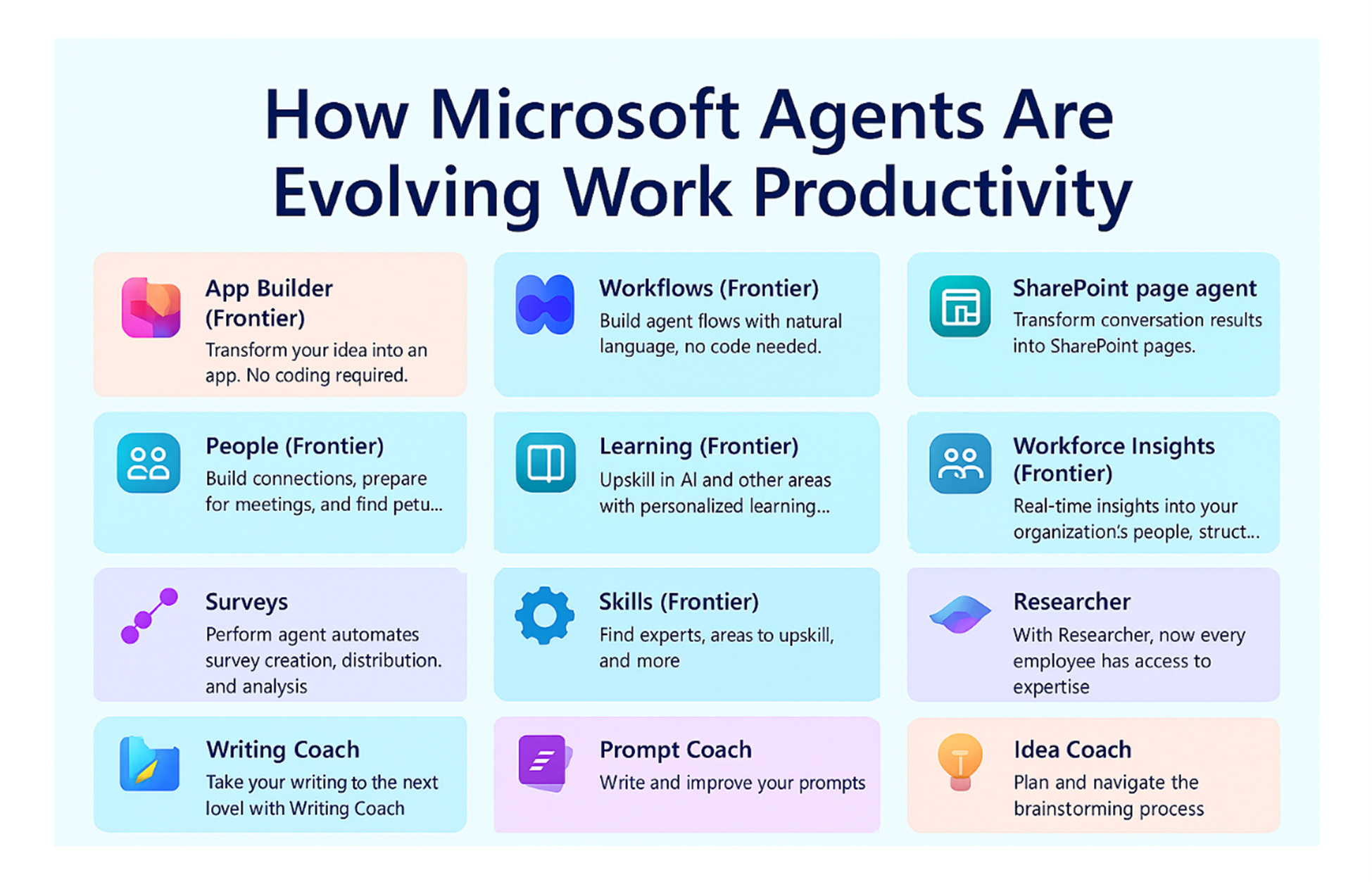
While Microsoft has deployed several stand-alone agents, including the Researcher and Analyst agents, the company is now deploying various applications within the various Microsoft 365 workloads. For example:
- The Project Manager agent works with Microsoft Planner.
- The Excel and Word agents can create a new document “from scratch” or can update an existing document when running in “agent mode” inside the Office application.
- The SharePoint page agent allows users to define the content of new pages and then add them to a SharePoint site.
- The Knowledge agent allows users to carry out tasks within SharePoint such as using natural language to create views, auto-fill columns, clean-up site content, and more.
- The Learning agent allows users to access Viva Learning content using natural language, while the People agent taps into your Entra ID org structure and Viva skills.
🖌️Creating Your Own Agent
You don’t just have to use Microsoft’s agents. You can also create your own agents using the following tools:
- The App Builder and Workflows agents allow you to build custom apps and workflows using natural language.
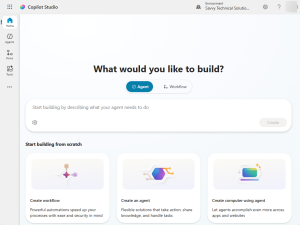
- The Agent Builder allows you to create a custom agent using Copilot Studio, but within the Copilot experience.
- Copilot Studio, one of the low-code tools included in the Power Platform, allows you to create custom agents that can connect to multiple data sources.
- Microsoft Foundry allows you to create fully custom agents.
📋Agent 365
Microsoft recently unveiled Microsoft Agent 365, a unified control pane for managing the agents in your tenant. This tool, available in the Microsoft Admin Center, provides the following features:
- Registry: a complete register of all the agents being used within your tenant, both pre-built and custom, and any agents being called by your agents.
- Access Control: Offers the ability to limit what kind of access agents have, including risk-based conditional access policies.
- Visualization: See in real-time what agents are being used, their metrics, and detailed information about each agent, including its publisher and connectivity.
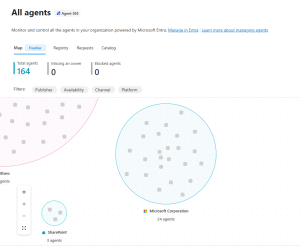
⛵ Microsoft’s Frontier Program
The Microsoft Frontier program provides early access to new Copilot and AI features in your tenant, including Agent 365 and many of the new agents. The program is available to all Microsoft 365 customers with a Copilot license.
Tenant administrators can decide which users in their tenant can access these Frontier features. Microsoft 365 administrators can enable Copilot Frontier program access through the Copilot Settings page, User Access tab, in the Microsoft Admin Center.
🚀 Why Agents Matter: A New Era of Intelligent Workflows
Agents aren’t just another feature or tools —they’re a shift in how work gets done. They’re part of a broader strategy to ensure AI is powerful, trustworthy, and accessible across the workplace.
Key benefits
- Consistency
- Efficiency
- Accessibility
- Scalability
- Security
They help organizations move from manual, repetitive work to intelligent, automated workflows that free people to focus on creativity, strategy, and connection.
As Microsoft continues to expand the capabilities of Agents—and advances frontier‑scale AI through the Frontier program—organizations gain a powerful new layer of intelligence woven directly into their daily tools.
Agents don’t replace people, they amplify them. And they’re only just getting started. Get in touch today, and let Savvy explore the possibilities with you!
January 2026 Roundtable – January 13 – RECAP

Were you unable to join us for our most recent Roundtable? We looked at Microsoft’s vision for 2026, with a special focus on the expanding role of AI agents in everyday productivity.
Don’t worry – you can check out the presentation here!
SAVE THE DATE
We hope you’ll mark your calendars for our upcoming exclusive Savvy Insights session just for you!
April Savvy Insights Session – Apr. 16 @ 11:15am-12:30pm CT
Want Excel to feel easier? Grab your lunch and join us for a quick, online session packed with time‑saving tips.
Keep an eye out for registration opening soon!
Service & Product Highlight – ShareGate Services
Savvy Technical Solutions has been a longtime advocate and reseller of ShareGate, leveraging its powerful migration and management capabilities since the product’s early days. As part of ShareGate’s newly relaunched partner program, Savvy was invited to complete a hands-on assessment—one that mirrored the complexity of a fu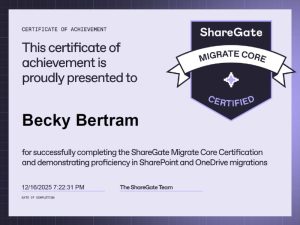 ll-scale migration.
The assessment involved migrating SharePoint and OneDrive content across tenants using both ShareGate’s desktop tool and PowerShell. While the process was intensive, it offered valuable insights—especially into PowerShell-driven migrations, which had previously taken a back seat to the UI in our workflows.
This experience not only reaffirmed ShareGate’s value as a robust migration solution, but also deepened our technical fluency across its toolset. We are excited to have Savvy’s President, Becky Bertram, ShareGate certified! Savvy is proud to continue to offer certified ShareGate services to our clients—backed by real-world experience and a commitment to seamless, secure migrations.
Community Events
Savvy will be participating in these upcoming events and we would love for you to join us!
Tri-State User Group (Jan. 22, 2026): Microsoft 365 Agents

Microsoft has introduced a new wave of AI agents in Microsoft 365, moving past Copilot to tools like the Knowledge Agent, Project Manager Agent, Office agents for Word, Excel, and PowerPoint, plus SharePoint and Learning agents. This session will showcase what these out‑of‑the‑box agents can do to boost productivity and collaboration across your organization.
KC User Group (Feb. 9, 2026): SharePoint Intranets – What’s New

Discover how SharePoint intranets are built, explore the newest page design features, and learn the project steps to launch a site. Plus, see how SharePoint agents connect intranet content to Microsoft 365 Copilot for smarter, more accessible conversations.
Knoxville Community Days (Feb. 26-27, 2026): Throw Me for a Loop

Knoxville Microsoft 365 Community Day, the premier event for Microsoft 365 and Power Platform professionals in East Tennessee! This year’s spotlight is on Copilot and AI across Microsoft, with deep‑dive workshops, expert‑led sessions on SharePoint, Power Platform, Fabric, and Security, plus networking with MVPs, MCTs, and industry leaders. Whether you’re a business user, IT pro, developer, or architect, you’ll gain real‑world solutions to boost productivity, collaboration, and innovation. #KnoxvilleM365
Microsoft Announcements
Here are few big announcements you might notice the next time you open your Office applications.
Microsoft Teams: Find SharePoint agents in Teams chats and Teams Store
With this release, users can discover and add SharePoint agents directly within Microsoft Teams chats on Desktop and Mac. Agents can be added via the Add Agents and Bots option in the chat roster dropdown, which opens the in-context store for discovery and selection. This enables users to quickly bring SharePoint agents into conversations to support collaboration.
Additionally, SharePoint agents are available in the Teams Store under the Agents category, making them easier to find and deploy across Teams experiences.
We’re retiring several legacy SharePoint Online features to streamline compliance and data lifecycle management. Starting April 2026, the following features will be retired:
- Information Management Policies
- In-Place Records Management
- Document deletion policies (deletion only)
- Policies for site closure and deletion (deletion only)
Announcing the new pay-as-you-go experience in Microsoft 365 Admin Center
We’re introducing a new pay-as-you-go (PAYG) experience in the Microsoft 365 Admin Center (MAC). This update provides a centralized way to manage metered services such as Microsoft 365 Backup and Copilot under the Billing node.
Microsoft 365 Copilot: Structured document generation with Forms
We are introducing structured document generation with Microsoft Forms in SharePoint. This capability will help organizations generate standardized, compliant documents through simple form-driven experiences. It will reduce manual effort, improve template consistency, and support governance across high-volume document workflows.
We want to hear from you! Share your thoughts, feedback, and any topics you’d like us to cover in future editions. Your input is invaluable in making this newsletter as relevant and helpful as possible.
Get in Touch: Have a project in mind or need advice? Reach out to us today to discuss your technology initiatives. We’re here to help you succeed! Let’s start a conversation today!